McLeuker Tech Pack: From Design to a Factory-Ready Spec
Tech Pack turns a design brief, sketch or sample photo into an editable spec: bill of materials, points of measure, construction notes, grading and flats, as XLSX or PDF.

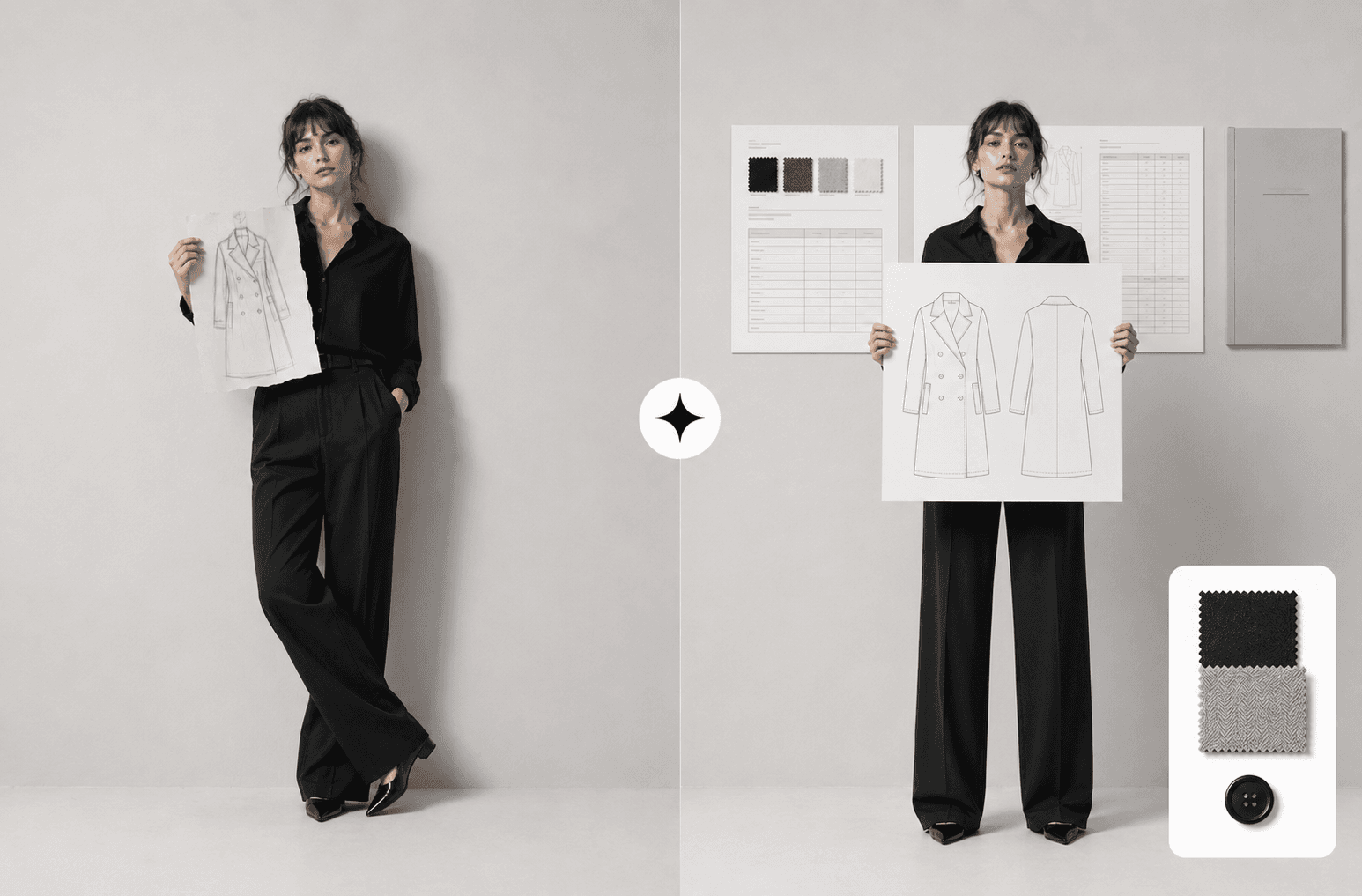
McLeuker Tech Pack is the production studio in McLeuker AI that turns a design into a factory-ready specification. From a written brief, a sketch or a photo of a sample, it drafts the bill of materials, the points of measure, construction notes, grading rules, trim callouts and front and back line-art flats, as an editable Excel workbook or a PDF. What it will not do is invent a number: every value your production team still has to sign off is left visible, so what you review is a draft rather than a guess.
Tech Pack in one minute
- What you give it: the style, fabric, trims, fit intent and the sizes you are running, as a brief, a sketch or a sample photo.
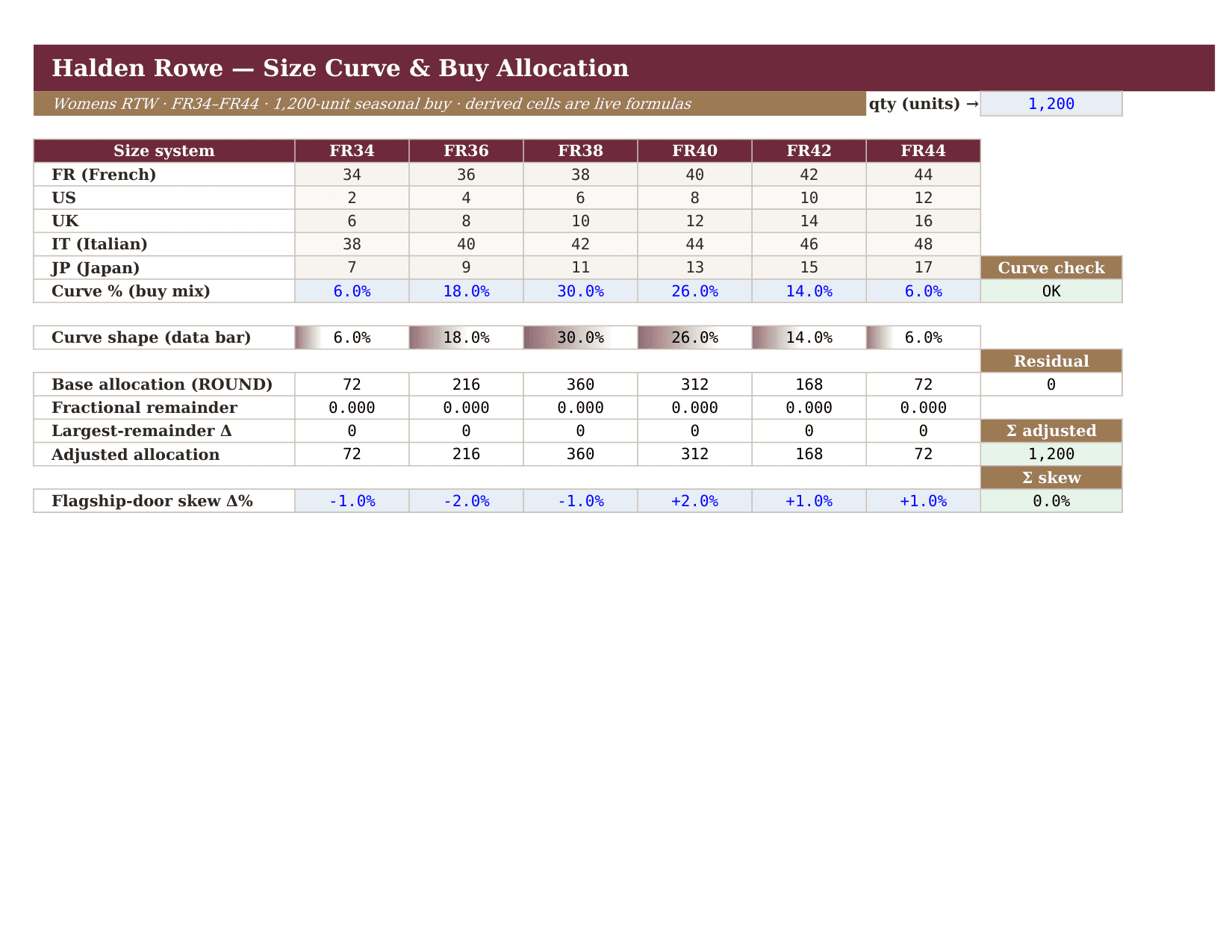
- What you get back: a tech pack as an editable XLSX, with typed cells and formulas, or a PDF.
- What it leaves to you: supplier, fabric reference, colour standard and tolerances, which stay visible until your team fills them in.
- Who it is for: designers and product developers, sourcing and production leads, garment technologists, and small brands without a technical designer on staff.
- Where to start: the Tech Pack page lets you open a real tech pack and three other production documents.
How it works
- Describe the garment. "Tech pack for a double-breasted cotton gabardine trench, sizes 34 to 44, storm flap, horn buttons, fully taped seams."
- It drafts the pack. It computes the tables, draws the flats and places the callouts.
- Review and sign off. The decisions that belong to your team are left visible, not filled with plausible guesses.
- Export for the factory. An editable workbook your technical designer can work in, or a PDF for the factory floor.
What is in a pack
- Bill of materials: every fabric, trim, thread, label and packaging component, with placement.
- Points of measure: the graded measurement spec across the size run.
- Construction notes: seams, stitches, finishes and closures.
- Grading rules and trim callouts.
- Line-art flats: front and back, with numbered callouts tied to the construction notes.
The flats are line art on purpose. A cutter cannot sew from a render, so the studio does not hand over a photoreal image as the spec.
Where it fits across the nine sectors
- Fashion: draft a factory-ready tech pack.
- Textile: approve trims against the standard.
- Catwalks: turn a look into a construction document.
Briefs to try
- "A tech pack for a relaxed linen shirt with a camp collar, sizes XS to XL, coconut buttons, French seams."
- "From this sketch: a pleated wool trouser, sizes 36 to 48, extended waistband, side adjusters."
- "Trim approval cards for SS27 denim: shank buttons, rivets, zips and the leather patch."
What it does not do
- It does not invent values nobody gave it. Tolerances, supplier references and colour standards are left for your team.
- It does not skip the human review. A draft saves hours of setup; the graded measurements still need checking against the pattern. Our guide to tech packs with AI shows where that line sits.
- It does not replace a pattern. It specifies the garment; a pattern-maker still makes the pattern.
Frequently asked questions
What is McLeuker Tech Pack?
It is the tech pack studio in McLeuker AI, the AI platform built for fashion. It turns a design brief, sketch or sample photo into a factory-ready specification as an editable XLSX or PDF.
Can I start from a sketch?
Yes. A written brief, a sketch or a photo of a sample all work as the starting point.
Is the Excel file really editable?
Yes. It opens with typed cells and formulas, so your technical designer edits in place rather than retyping.
Will it fill in tolerances for me?
No, deliberately. Values that your production team must sign off stay visible as open decisions rather than being guessed.
McLeuker AI is the AI platform built for fashion: research, creative and production studios that each return a finished file. See them all on the products page, or open Tech Pack and describe the garment your factory is waiting on.
Filed under
Series · Meet the Studios
16 of 17